Current App Store check: 7 November 2026
The official Philippines App Store listing reports iOS version 26.62, released 4 November 2026, with an approximately 1285.4 MiB package and a minimum of iOS/iPadOS 14.0. Android versions and compatibility can differ; use the Google Play link on this page for that device. Older build notes below record earlier checks.
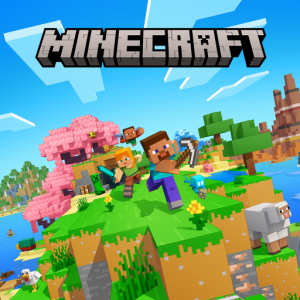
Minecraft is Mojang Studios’ paid sandbox building and survival game. Mobile uses the Bedrock edition, with touch controls and cross-play with compatible Bedrock platforms. This refreshed Philippine page links only to Minecraft, Google Play and Apple’s App Store. WP Phone does not host an APK, cracked build, modified client, Minecoin seller or account.
Version 26.52 and Philippines availability
Apple Philippines listed version 26.52, released 28 September 2026 UTC, with various bug fixes. Google Play Philippines showed an Android update date of 25 September 2026. Both official paid store routes were live on 9 October.
Android and iOS build labels or rollout dates can differ. Install the build offered to the signed-in device rather than matching a number from an APK site. Confirm the current Philippine-peso price and the exact store account before paying.
Requirements and storage
Apple Philippines requires iOS or iPadOS 13.0 or later and reported a 1,327,799,296-byte package, about 1.24 GiB. Google Play checks compatibility for the exact signed-in Android device and links to Mojang’s device guidance rather than publishing one universal RAM or chipset rule.
The store package is not the final footprint. Local worlds, Marketplace downloads, add-ons, texture packs, cache and update unpacking need more room. If the update stalls, free space without clearing Minecraft’s app data or deleting worlds.
Install only from Mojang’s official routes
- Open Google Play or the Philippine App Store from this page.
- Confirm Mojang or Mojang Studios as the provider.
- On Android, verify package com.mojang.minecraftpe.
- Review the paid price, age rating, online interaction and optional purchases.
- Install future updates through the same official store account.
A free full-version APK, cracked Marketplace build or Minecoin generator is not an official discount. It can expose the Microsoft account, local files or payment details and may not receive safe updates.
Back up important worlds first
Mojang’s current Android backup instructions say worlds created with the File Storage Location set to External can be copied from the Minecraft worlds folder to a computer or another Android device. Worlds stored in the Application location require Mojang’s supported transfer route, such as Realms, rather than assuming a normal file copy will find them.
Check the storage location and make a tested backup before deleting data, reinstalling, joining a beta or moving phones. Do not assume that signing in to a Microsoft account automatically uploads every local world.
Account, multiplayer and purchase safety
- Use the official Microsoft sign-in page and protect the account with a unique password and recovery method.
- Do not share a one-time code, store receipt or world file with an unknown helper.
- Check the exact Realm or server address before joining; leave if a server asks for external downloads or credentials.
- Buy Minecoins, Marketplace content or subscriptions only through the official in-game flow and store sheet.
- For a child account, review Microsoft family settings and multiplayer permissions with a parent or guardian.
Performance after an update
Large worlds, high render distance, detailed resource packs and background recording can increase memory, heat and battery use. Start with the game’s default settings, lower render distance gradually and test without optional packs before blaming the network.
If the game crashes, restart the phone, confirm free storage and test one known-good local world. Back up first before reinstalling. An unofficial optimizer cannot add unsupported graphics features safely.
Use WP Phone’s safe storage guide and mobile game account security guide for the next checks.
Quick verdict
Minecraft remains officially available as a paid Android and iOS game in the Philippines. Version 26.52 keeps iOS 13 as the published Apple minimum; the practical priorities are adequate storage, a verified world backup and official store or Microsoft account routes only.
Official sources checked
- Minecraft official website
- Minecraft Help: back up Bedrock worlds on Android
- Minecraft Philippines App Store listing
- Minecraft Google Play Philippines listing
Install from the official source
- Open the store. Use the Google Play or App Store button above for your device.
- Confirm the publisher. Match the store publisher with the developer shown on this page, and check the device requirements.
- Install and update. Use the store's Install or Update button; allow the download to finish before opening the game.
Google Play and the App Store do not require enabling “Unknown Sources.” If a publisher offers a direct Android APK, read our installation safety guide before considering it.