Current App Store check: 7 November 2026
The official Philippines App Store listing reports iOS version 26.5.9, released 21 October 2026, with an approximately 479.1 MiB package and a minimum of iOS/iPadOS 15.0. Android versions and compatibility can differ; use the Google Play link on this page for that device. Older build notes below record earlier checks.
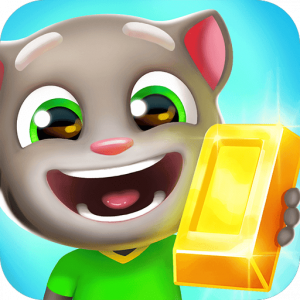
Talking Tom Gold Run is Outfit7’s endless runner about chasing Roy Rakoon, collecting gold, unlocking characters and upgrading homes. This Philippine guide links only to Outfit7, Google Play and Apple’s App Store. WP Phone does not host an APK, modified client, unlimited-gold file or account.
Version 26.5.7 and the latest Android update
Apple Philippines listed version 26.5.7, released 5 October 2026 UTC, with bug fixes and minor gameplay improvements. Google Play Philippines showed an Android update date of 9 October 2026.
Store build numbers and event schedules can differ by platform. Use the build offered to the signed-in device. A download page promising an unreleased character or unlimited currency is not an official update.
Philippines availability, size and requirements
Both Philippine store routes were available on 11 October. Apple’s package was 494,237,696 bytes, about 471.3 MiB, and required iOS or iPadOS 15.0 or later. Leave extra space for worlds, events, advertisements, cache and update unpacking.
Google Play performs the final compatibility check for the exact Android device. If the store does not offer installation, do not bypass it with a mirror APK; an older build may fail to sync, miss security fixes or be unable to join a current event.
Install the official runner
- Use the Google Play or Philippine App Store button on this page.
- Confirm Talking Tom Gold Run and Outfit7 Limited.
- On Android, verify package com.outfit7.talkingtomgoldrun.
- Review the age rating, advertising, random-item and purchase disclosures.
- Install updates through the same store account.
Never pay a person who claims to sell cheap gold, event characters or a preloaded account. Keep the store password, OTP and payment-card verification value private.
Offline play and progress checks
Google Play identifies offline play, so core runs can work without a connection after installation. Advertisements, purchases, updates, leaderboards and some events still need the internet. Open the game once on a trusted connection before a trip and verify that the expected profile is loaded.
Before reinstalling or changing phones, check the current in-game settings and Outfit7 support route for the supported save method. Do not assume a store receipt alone restores every earned character or home upgrade.
Performance and family safety
- Finish the official update before entering a timed event.
- If the phone heats up, pause and let it cool instead of installing an unverified booster.
- Reduce brightness and unnecessary recording or overlays during longer runs.
- Use Apple or Google purchase approval for a child’s device.
For another family game from the same developer, see My Talking Tom Friends 2. The Philippines Talking Tom parent checklist compares official download and purchase-control steps.
Quick verdict
Talking Tom Gold Run is a practical choice for short endless-runner sessions, including some offline play. Install only the official build, keep enough storage, verify progress before reinstalling and approve purchases through the platform.
Official sources checked
- Outfit7 official games page
- Talking Tom Gold Run Philippines App Store listing
- Apple Philippines lookup metadata for Talking Tom Gold Run
- Talking Tom Gold Run Google Play Philippines listing
- Outfit7 games privacy policy
Install from the official source
- Open the store. Use the Google Play or App Store button above for your device.
- Confirm the publisher. Match the store publisher with the developer shown on this page, and check the device requirements.
- Install and update. Use the store's Install or Update button; allow the download to finish before opening the game.
Google Play and the App Store do not require enabling “Unknown Sources.” If a publisher offers a direct Android APK, read our installation safety guide before considering it.