Current App Store check: 7 November 2026
The official Philippines App Store listing reports iOS version 7.5.9, released 6 November 2026, with an approximately 200.6 MiB package and a minimum of iOS/iPadOS 15.0. Android versions and compatibility can differ; use the Google Play link on this page for that device. Older build notes below record earlier checks.
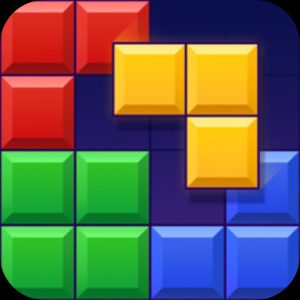
Block Blast! is Hungry Studio’s block puzzle game built around placing pieces on an 8-by-8 board and clearing rows or columns. The official listings describe play without an internet connection, while advertisements, purchases and store updates can still need connectivity. This WP Phone page links only to Hungry Studio and the Philippine stores; it does not host a modified, ad-free or unlimited-score package.
Version 7.3.5 and Philippines availability
Apple Philippines listed version 7.3.5, released 20 August 2026. Its update note says the developer continues to improve the game and recommends automatic updates. The App Store showed an approximately 197 MB package and required iOS or iPadOS 13.0 or later.
Google Play listed an Android update date of 2 July when reviewed and described bug fixes and performance improvements. Both official Philippine store routes were live on 22 August. Android and iOS releases can arrive on different schedules, so compare only with the version offered to the signed-in device.
Offline play, storage and compatibility
The core puzzle experience is described as playable offline. That does not mean every store, advertisement, subscription or support function works without a connection. Complete the official installation and any store update before going offline, especially before a trip or a limited-data period.
The store package is not a permanent installed-size promise. Cache, advertising assets and later updates can add storage. Google Play performs a live compatibility check for the exact Android phone and account; Hungry Studio does not publish one current universal Android RAM, processor or OS baseline on the sources checked, so WP Phone will not invent one.
Install the correct Block Blast
- Open the Google Play or Philippine App Store button on this page.
- Confirm the title Block Blast!, HungryStudio or Hungry Studio identity, and ARETIS LIMITED provider information.
- Review the current age rating, advertisements, data disclosure and in-app purchases.
- Install and update through that same official store.
- Use the developer contact shown on the store page for support.
Several apps use similar block-puzzle names. Do not rely on an icon or search advertisement alone. A package promising no ads, a guaranteed high score or premium access without payment is not the official build and may contain unwanted software.
Performance and data-use checks
If dragging pieces becomes delayed after an update, restart the phone, check free storage and test with other background apps closed. Lowering screen brightness can reduce battery use during a long session. Do not install a RAM cleaner or game booster that requests Accessibility, device-administrator or VPN control.
Offline play can reduce mobile-data use, but advertisements may reconnect when service returns. If data is limited, use the phone’s built-in per-app usage screen and our mobile game data guide rather than blocking system store services needed for security updates.
Advertisements and purchase safety
The official listings disclose advertisements and in-app purchases; Apple also showed subscription options in Philippine pesos during this review. Read the exact renewal period and peso total on the final store sheet. A weekly, monthly and annual offer are not interchangeable, and deleting an app does not necessarily cancel a store subscription.
Enable store purchase authentication on a shared phone and keep the official receipt. Never send a password, one-time code or screen-share access to someone offering an ad-free account. Manage or cancel a subscription only through Google Play, Apple or a route explicitly identified by Hungry Studio.
Editorial review: 22 August 2026. Recheck the live version, compatibility, advertising and subscription terms before installation or payment.
Official sources checked
- Hungry Studio official website
- Block Blast Philippines App Store listing
- Block Blast Google Play listing
Install from the official source
- Open the store. Use the Google Play or App Store button above for your device.
- Confirm the publisher. Match the store publisher with the developer shown on this page, and check the device requirements.
- Install and update. Use the store's Install or Update button; allow the download to finish before opening the game.
Google Play and the App Store do not require enabling “Unknown Sources.” If a publisher offers a direct Android APK, read our installation safety guide before considering it.