Blood Strike is NetEase Games’ fast-paced battle royale shooter for mobile and PC. Its official site highlights team-based combat, character abilities and multiple modes. This page links only to the official Philippine stores and NetEase website. WP Phone does not host an APK, game resources, cheats or a modified client.
Current version and Philippines availability
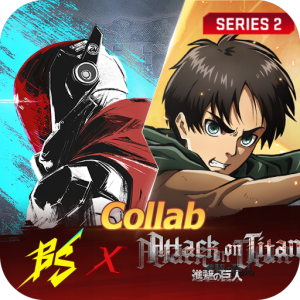
The Philippine Apple App Store listed version 1.003.147, released 30 July 2026, when checked on 12 August. The update included the official Attack on Titan collaboration content announced by NetEase. The Apple listing showed a 731.5 MB store package and required iOS or iPadOS 11.0 or later.
The official Google Play listing showed an Android update date of 11 August 2026, matching NetEase’s official same-day version update announcement for new Battle Royale TPS gameplay. Android version numbers and rollout dates can differ by device and staged release, so use the version shown on the signed-in phone. Availability can still depend on account region, age settings, device support and future publisher decisions.
Requirements and storage planning
NetEase describes Blood Strike as optimized for lower-end devices and limited storage, but the reviewed official pages do not provide one stable Android minimum that applies to every phone. Google Play performs its own compatibility check. If the store says the device is unsupported, do not bypass the result with a mirror APK.
Leave more free space than the initial 731.5 MB iOS package. Live-service games download maps, audio, event files and later patches after installation. Check the game’s own resource screen before relying on mobile data. Our device compatibility guide explains how to check the exact model, operating system, RAM and available storage.
Install safely
- Open Google Play or the Philippine App Store using the buttons on this page.
- Confirm the publisher is NetEase Games or Hong Kong NetEase Interactive Entertainment Limited.
- Review the live age rating, data-safety disclosure and in-app purchases.
- Use a stable connection and keep extra storage available for in-game resources.
- Install future updates through the same official store.
A package claiming unlimited Gold, unlocked skins, an anti-ban tool or a compressed client is not an official update. Do not disable Play Protect, install an unknown certificate or grant remote-control access. See the Philippines Android installation checklist for warning signs.
Account and purchase safety
Use a recoverable sign-in and link the account before reinstalling or moving phones. NetEase’s official account-linking guidance says players who want to use their main account on Steam should link it from the existing PC or mobile client first. Check the active account and character before accepting any link prompt.
Never share a password, one-time code or recovery code with someone offering free Gold, ranked boosting or account recovery. Use only the in-game purchase flow or an official NetEase route linked from the game or official website, and verify the account before paying. Keep the official receipt for support.
Connection and performance tips
Finish large downloads before entering a match. If the phone becomes hot or frame rate drops, lower the in-game graphics and frame-rate settings if available, stop other downloads and let the device cool in a ventilated area. Do not place a hot phone in a refrigerator or freezer and do not keep playing through a temperature warning.
A VPN does not guarantee lower latency and can add distance or trigger account-region checks. Start with the official client, current system software and a stable local connection. For broader heat guidance, use our mobile game heat and battery guide.
Editorial review: 12 August 2026. Recheck the live version, size, compatibility and offers immediately before downloading.